
Can I Vacuum Pool on Waste? Complete Filter Setting Guide

Should I vacuum my pool on waste setting to avoid filter clogs?
Read full question
Halfway through prepping for our pool party this Saturday, I realized I have no clue which filter setting to use when vacuuming all this debris. I've got some pretty heavy debris that's settled on the bottom of my pool after a storm, and I'm worried about clogging up my filter if I vacuum it all up normally.
The guy at the pool store mentioned something about using the "waste" setting when vacuuming, but I didn't really understand what he meant. Does this actually work, and when should I be using waste instead of the regular filter setting? I don't want to mess anything up since I'm still learning all this stuff.
Quick Answer
Yes, you can vacuum your pool on the waste setting. This bypasses your filter and sends debris directly to the sewer, preventing filter clogs when dealing with heavy debris or algae.
When to Vacuum on Waste vs. Filter
Understanding when to use the waste setting versus the normal filter setting is crucial for effective pool maintenance:
Use Waste Setting When:
- Heavy leaf debris - After storms or during fall cleanup when large amounts of organic matter have accumulated
- Algae blooms - When dealing with green, yellow, or black algae that would immediately clog your filter
- Fine sediment - Sand, dirt, or silt that passes through your skimmer baskets
- Dead algae after shocking - Following a SLAMShock Level And Maintain — raise free chlorine to a target based on your CYA and hold it there until the algae is gone. It's a process, not a one-time dose. the SLAM walkthrough → (Shock Level And Maintain) treatment when algae particles are floating
- Pool opening - When cleaning a pool that's been closed for winter
- Filter is already dirty - When your filter pressure is high and needs cleaning
Use Filter Setting When:
- Regular weekly maintenance with minimal debris
- Small amounts of dirt or dust
- You want to conserve pool water
- Dealing with particles your filter can easily handle
Step-by-Step Vacuuming to Waste Process
- Check water level - Ensure your pool is full since you'll be losing water. The water should be at least halfway up your skimmer opening.
- Set up your vacuum equipment - Connect your vacuum head, telescopic pole, and vacuum hose. Prime the hose by holding one end over a return jet until water flows out the other end.
- Turn off pool pump - Always turn off the pump before changing valve settings to prevent damage.
- Set multiport valve to WASTE - Turn the handle to the waste position. Valve labels vary by brand, so check your valve position guide if you are unsure which setting is WASTE.
- Connect vacuum hose to skimmer - Insert the vacuum plate into your skimmer and connect the primed hose.
- Start the pump - Turn your pump back on. You should see water flowing out of your backwash line or waste port.
- Begin vacuuming slowly - Move the vacuum head slowly across the pool bottom. Going too fast will stir up debris and make it harder to capture.
- Monitor water level - Keep an eye on your water level throughout the process. Stop if it drops too low.
- Work systematically - Vacuum in overlapping passes, working from the shallow end to the deep end when possible.
Important Safety and Technical Considerations
Water loss is significant when vacuuming to waste. You're essentially running your pool pump while draining water, so monitor levels closely. If your water drops below the skimmer opening, air will enter the system and you'll lose prime.
Chemical balance will change after adding fresh water to replace what you've vacuumed out. Plan to test and adjust your water chemistry afterward. You'll likely need to add chlorine, and if you add significant amounts of fresh water, you may need to adjust pH, total alkalinity, and calcium hardness.
For pools with variable speed pumps, use a lower speed setting when vacuuming to waste to reduce water loss while maintaining adequate suction. A moderate speed setting is typically effective for debris removal while conserving water - consult your pump manual for optimal RPM based on your specific system configuration.
After Vacuuming to Waste
Once you've finished vacuuming, follow these essential steps:
- Turn off the pump before changing valve settings
- Return valve to FILTER position
- Refill your pool to proper water level
- Test water chemistry using a reliable test kit like the Taylor K-2006
- Adjust chemicals as needed - Fresh water typically requires chlorine and may affect pH and alkalinity
- Run pump on filter for several hours to circulate new water and chemicals
Troubleshooting Common Issues
Poor Suction
If you're experiencing weak suction while vacuuming to waste, check that your vacuum hose is properly primed and all connections are secure. Air leaks will significantly reduce effectiveness.
Debris Stirring Up
If debris is stirring up faster than you can vacuum it, slow down your movements and consider letting the pool settle for 30 minutes before continuing. Sometimes a light brushing 24 hours before vacuuming helps loosen stubborn debris.
Pump Losing Prime
This usually indicates your water level has dropped too low. Stop vacuuming, refill the pool, and restart your pump. Always maintain water level above the skimmer opening.
Vacuuming to waste is an invaluable technique for serious debris situations. While you'll lose water and need to rebalance chemicals afterward, you'll save time, protect your filter, and achieve better cleaning results than trying to force heavy debris through your filtration system.
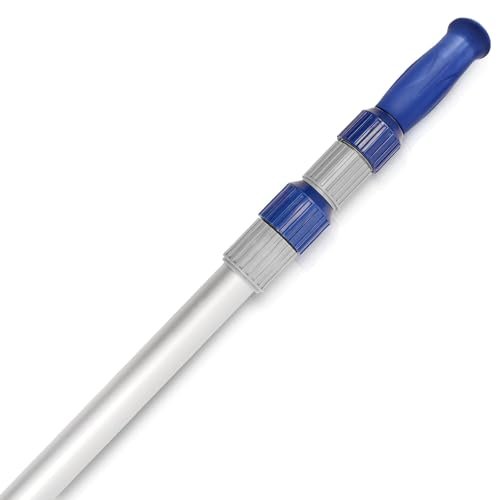 Poolvio 15 ft Telescopic Pool Pole (3-Piece Aluminum)
Telescoping pole that fits brushes, skimmer nets, and vacuum heads. View on Amazon →
Poolvio 15 ft Telescopic Pool Pole (3-Piece Aluminum)
Telescoping pole that fits brushes, skimmer nets, and vacuum heads. View on Amazon →
 Taylor K-2006C Complete FAS-DPD Pool & Spa Test Kit
The FAS-DPD kit pool pros trust — reads chlorine accurately even at shock/SLAM levels, plus pH, alkalinity, calcium hardness and CYA. View on Amazon →
Taylor K-2006C Complete FAS-DPD Pool & Spa Test Kit
The FAS-DPD kit pool pros trust — reads chlorine accurately even at shock/SLAM levels, plus pH, alkalinity, calcium hardness and CYA. View on Amazon →
Still need help? Ask a Pool & Spa Expert AD
Get a personalized answer from PoolGuy810 — 30 years owning a pool and spa repair company. Describe your issue and get step-by-step help.
Related Pool Guides
Need More Help?
Try our free pool calculators and tools to help diagnose and fix your pool problems.
Browse Pool ToolsSLAM calculator, pH calculator, salt dosing & more