
Can You Vacuum Pool on Backwash? Proper Filter Settings

Should I set my filter to backwash mode while vacuuming?
Read full question
Already tried everything but my pool filter clogs every time I vacuum, the water won't clear up, AND I can't figure out the right filter setting.
Should I have it on backwash while I vacuum, or use a different setting? Don't want to mess anything up.
Quick Answer
Never vacuum your pool with the filter set to backwash mode - this routes your vacuumed water (and dirt) backward through the filter and out to waste, so you lose water and don't actually filter — and some debris gets pushed back into the pool. Use the Filter setting for normal vacuuming or Waste setting for heavy debris.
The Short Answer: Don't Do It
Good news: figuring out the right filter setting for pool vacuuming is solidly DIY territory—no expensive service call needed, just knowing when backwash works and when it doesn't. This setting is designed to reverse water flow through your filter media to clean it, not to handle incoming debris from vacuuming. Using backwash while vacuuming just sends your water down the drain and can push trapped dirt back into the pool, so it won't effectively clean your pool. (And if you have a cartridge filter, there's no backwash setting at all — cartridge systems don't use a multiport valve.)
Understanding Your Filter Valve Settings
Before diving into the proper vacuuming technique, let's clarify what each valve setting does:
- Filter: Normal operation - water flows through the filter media and returns clean to the pool
- Backwash: Reverses flow to clean the filter media, sending dirty water to waste
- Waste: Bypasses the filter entirely, sending water directly to the drain
- Rinse: Settles filter media after backwashing
- Recirculate: Circulates water without filtering
- Closed: Stops all water flow
Step-by-Step Vacuuming Process
1. Choose Your Filter Setting
For regular maintenance vacuuming, set your multiport valve to Filter. This allows debris to be captured in your filter media while returning clean water to the pool. If you're dealing with heavy debris or very dirty water that might clog your filter quickly, consider using the Waste setting instead.
2. Prime Your Vacuum System
Connect your vacuum head to the telescopic pole and attach the vacuum hose. Submerge the vacuum head and slowly feed the hose into the pool until it's completely underwater and air bubbles stop emerging. This ensures proper suction.
3. Connect to Skimmer or Dedicated Vacuum Port
Connect the free end of the vacuum hose to your skimmer suction port or dedicated vacuum line. You should immediately feel strong suction at the vacuum head.
4. Begin Vacuuming
Move the vacuum head slowly across the pool bottom in overlapping strokes. Rapid movements will stir up debris and reduce cleaning effectiveness. Work systematically from the shallow end to the deep end.
5. Monitor Filter Pressure
Keep an eye on your filter pressure gauge while vacuuming. When pressure rises about 8-10 PSI above the clean starting pressure (verify your manufacturer's recommendations), it's time to backwash your filter or clean your cartridges.
When to Use the Waste Setting
Consider switching to the Waste setting when:
- Vacuuming up large amounts of fine debris like algae
- Cleaning up after a storm with lots of organic matter
- Your filter pressure is already high and you don't want to clog it further
- Dealing with substances that shouldn't go through your filter system
Remember that using the Waste setting will lower your water level since you're sending water directly to the drain. You'll need to add fresh water to compensate.
Common Mistakes to Avoid
Using Backwash: This is the most critical error. On the backwash setting, water is routed through the filter media to waste rather than back to the pool, so vacuuming on backwash just dumps your vacuumed water down the drain and unsettles the sand bed instead of filtering it.
Vacuuming Too Quickly: Moving the vacuum head rapidly creates turbulence that suspends debris in the water column rather than capturing it.
Ignoring Filter Pressure: Continuing to vacuum with a dirty, high-pressure filter reduces suction effectiveness and can strain your pump motor.
Skipping the Rinse Cycle: If you backwash during your vacuuming session, always run a brief rinse cycle before returning to Filter mode to settle the filter media properly.
Post-Vacuuming Maintenance
After completing your vacuuming session, you'll likely need to clean your filter system. For sand and DE filters, this means backwashing followed by a rinse cycle. For cartridge filters, remove and rinse the cartridges thoroughly. This maintenance step is crucial for maintaining proper water circulation and filtration.
If you used the Filter setting and notice your water has become cloudy during vacuuming, this indicates your filter media needs attention. A properly functioning filter should capture debris without allowing it to return to the pool. Consider consulting our comprehensive filter guide to ensure your system is operating optimally.
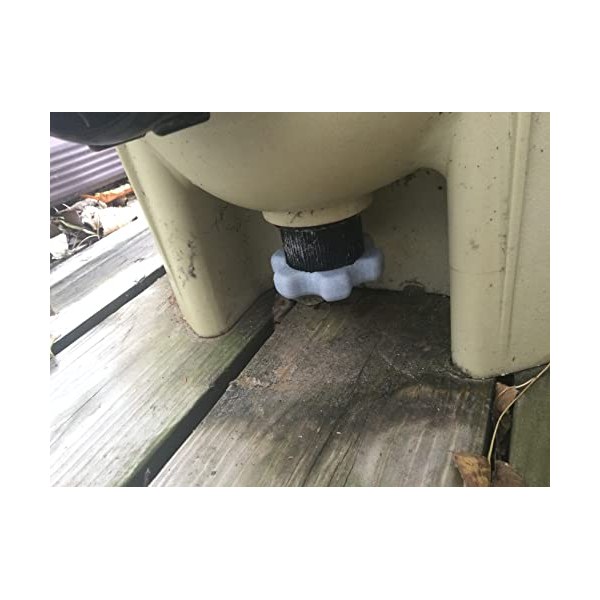 Filter Drain Plug Wrench (Pentair Clean & Clear/FNS)
Grips the drain plug on Pentair Clean & Clear and FNS filters. View on Amazon →
Filter Drain Plug Wrench (Pentair Clean & Clear/FNS)
Grips the drain plug on Pentair Clean & Clear and FNS filters. View on Amazon →
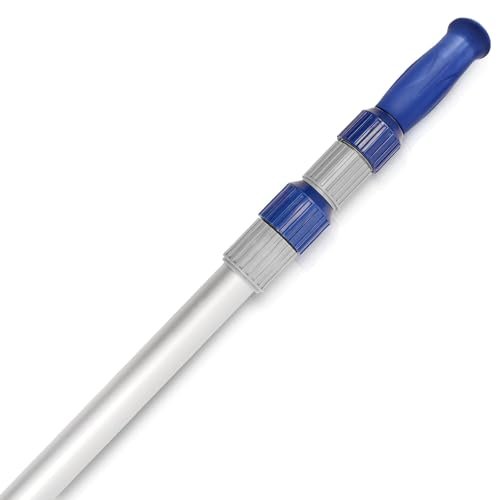 Poolvio 15 ft Telescopic Pool Pole (3-Piece Aluminum)
Telescoping pole that fits brushes, skimmer nets, and vacuum heads. View on Amazon →
Poolvio 15 ft Telescopic Pool Pole (3-Piece Aluminum)
Telescoping pole that fits brushes, skimmer nets, and vacuum heads. View on Amazon →
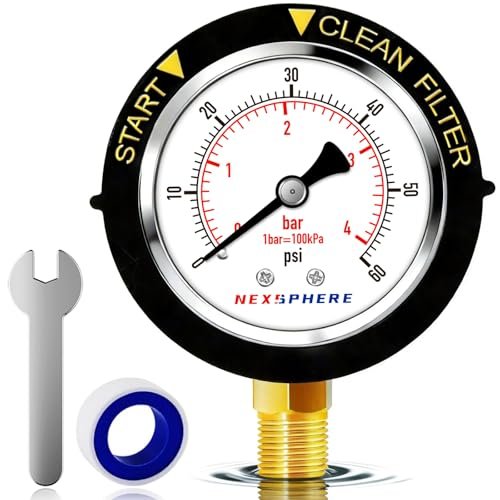 NexSphere Pool Filter Pressure Gauge, 0–60 PSI, 2 in Dial
Replacement back-mount gauge so you can read filter pressure and know when to backwash. View on Amazon →
NexSphere Pool Filter Pressure Gauge, 0–60 PSI, 2 in Dial
Replacement back-mount gauge so you can read filter pressure and know when to backwash. View on Amazon →
Still need help? Ask a Pool & Spa Expert AD
Get a personalized answer from PoolGuy810 — 30 years owning a pool and spa repair company. Describe your issue and get step-by-step help.
Related Pool Guides
Need More Help?
Try our free pool calculators and tools to help diagnose and fix your pool problems.
Browse Pool ToolsSLAM calculator, pH calculator, salt dosing & more