
Should You Vacuum Pool After Adding Algaecide? Step-by-Step

When should I vacuum after using algaecide? Pool still looks awful
Read full question
I looked outside this morning and there's this overwhelming musty, swampy stench hitting me from the pool with chunks of dead algae floating everywhere after adding algaecide two days ago. The water looks like a swamp but at least it's not getting worse.
Should I be vacuuming this stuff up now or waiting longer? I don't want to mess up my filter with all this crud, but I also can't stand looking at this disaster anymore. What's the right timing for vacuuming after algaecide treatment?
Quick Answer
Vacuuming won't clear a green pool — holding shock-level chlorine is what kills the algae. Vacuuming cleans up the mess after shock: once dead algae settles on the bottom, vacuum it to waste so it doesn't clog your filter or feed new growth. There's no fixed wait after algaecide — go by how much has settled, and keep free chlorine at shock level until the water clears.
Step-by-Step Vacuuming Process After Algaecide
- Hold shock-level chlorine and let dead algae settle
What clears the water is shock-level chlorine for your CYACyanuric Acid (stabilizer) — Sunscreen for your chlorine — it keeps sunlight from burning it off. The catch: the more you have, the more chlorine you need to keep. learn more → (the SLAMShock Level And Maintain — raise free chlorine to a target based on your CYA and hold it there until the algae is gone. It's a process, not a one-time dose. the SLAM walkthrough → process), not the algaecide and not the vacuum. Keep FCFree Chlorine — The chlorine actively sanitizing your water right now. This is the number you keep an eye on. how much you need → at shock level and run the pump; as the chlorine kills algae, it dies and settles to the bottom. Wait until a real layer has settled before vacuuming — there's no fixed number of hours, so go by what's on the floor. Vacuuming while the water is still green just stirs suspended algae around. - Check your SLAM numbers (FC and CCCombined Chlorine — "Used-up" chlorine left over from doing its job. Above about 0.5 ppm is the classic sign water needs a shock. learn more →)
The dials that matter during a SLAM are Free Chlorine (FC) and Combined Chlorine (CC). Keep FC at the shock level for your CYA using the FC/CYAFC/CYA chart — The chart that sets your chlorine target from your stabilizer (CYA) level — the two go together. see the chart → chart, and add liquid chlorine if it has dropped. Check pH too — mainly because very high FC can make the pH reading unreliable. Total alkalinity isn't a SLAM concern, so don't get hung up on it here. - Set up vacuum equipment
Connect your manual vacuum head to the telescoping pole and attach the vacuum hose. Prime the hose by holding it over a return jet until water flows out the other end, eliminating air bubbles. - Set multiport valve to WASTE position
This is crucial - do not vacuum dead algae through your filter. The WASTE setting sends debris directly out of the pool and bypasses your filtration system entirely. Cartridge filters have no waste setting — instead, vacuum slowly through the filter, then clean or replace the cartridge afterward (or use a separate utility pump to send water outside the pool). - Vacuum systematically and slowly
Start at the shallow end and work toward the deep end using slow, overlapping strokes. Move the vacuum head no faster than one foot every 3-4 seconds to avoid stirring up settled debris. Focus on visible algae deposits and heavily affected areas. - Monitor water level during vacuuming
Vacuuming to waste removes significant amounts of water. Stop periodically to check that your skimmer doesn't run dry, which can damage your pump. Keep water level above the skimmer opening. - Refill and rebalance pool water
After vacuuming, refill your pool to proper levels. Fresh water will dilute your chemical levels, so retest and adjust FC, pH, and TATotal Alkalinity — The buffer that keeps your pH from bouncing around. Get this in range and pH gets a lot easier to manage. learn more → as needed. Add liquid chlorine to maintain shock level. - Return filter system to normal operation
Switch your multiport valve back to FILTER position (or reinstall cartridge filters). Run your filtration system continuously until water clears completely, typically 24-48 hours.
Why You Still Need to Vacuum
Whatever kills the algae — and that's mostly your chlorine, not the algaecide — leaves dead biomass behind in the water. Left in the pool, that dead organic matter feeds the next bloom and can overwhelm your filter, clogging it and cutting circulation. That's the job vacuuming does: it removes the debris. It doesn't cure the pool — the chlorine already did that.
What actually clears a green pool is the SLAM (Shock Level And Maintain) method. Chlorine does the killing — algaecide is a minor helper at most (polyquat is really a winter preventative, not a green-pool cure). You hold shock-level chlorine for your specific CYA until the algae is gone. The SLAM level scales with your stabilizer (CYA), so the exact number depends on your pool — rather than guessing, plug your numbers into our all-in-one pool calculator and it will estimate your SLAM target and roughly how much chlorine to add.
Common Mistakes to Avoid
- Vacuuming too soon: Moving water before algae dies can spread live algae to clean areas
- Using FILTER instead of WASTE: This clogs your filter media with organic debris
- Vacuuming too quickly: Fast movements stir up settled debris back into suspension
- Ignoring water chemistry: Dead algae consumes chlorine, requiring additional sanitizer
- Not maintaining shock level: Dropping below shock level allows surviving algae to multiply
When to Use Alternative Methods
For severe algae blooms or persistent green pools, consider these enhanced approaches:
- Flocculant before vacuuming (last resort): aluminum-sulfate (alum) flocculant binds fine particles to the floor so you can vacuum them to waste - but it can clog or ruin filters, so never run it through a cartridge filter, and only reach for it when SLAM alone won't clear the water
- Multiple vacuum sessions: Heavy algae loads may require 2-3 vacuum cycles over several days
- Copper vs. polyquat algaecides: copper-based products kill algae but can leave debris (and risk staining), so allow extra settling time; polyquat works more slowly and is better as a winter preventative than a green-pool cure
Monitoring Progress and Next Steps
After vacuuming, expect your pool water to clear gradually over 24-72 hours with proper filtration and chemical maintenance. Continue testing FC several times a day and adding liquid chlorine to hold shock level until you pass all three SLAM exit criteria: an overnight FC loss of 1 ppm or less (OCLT), combined chlorine (CC) at or below 0.5 ppm, and clear water.
Important safety note: Never mix algaecides with other chemicals, and always add chemicals to water, never water to chemicals. Wear protective equipment and ensure proper ventilation when handling pool chemicals.
For the full breakdown of safe chlorine levels by CYA level, see our pool water chemistry guide.
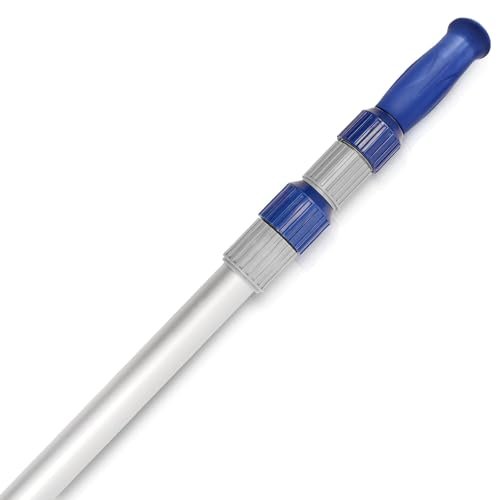 Poolvio 15 ft Telescopic Pool Pole (3-Piece Aluminum)
Telescoping pole that fits brushes, skimmer nets, and vacuum heads. View on Amazon →
Poolvio 15 ft Telescopic Pool Pole (3-Piece Aluminum)
Telescoping pole that fits brushes, skimmer nets, and vacuum heads. View on Amazon →
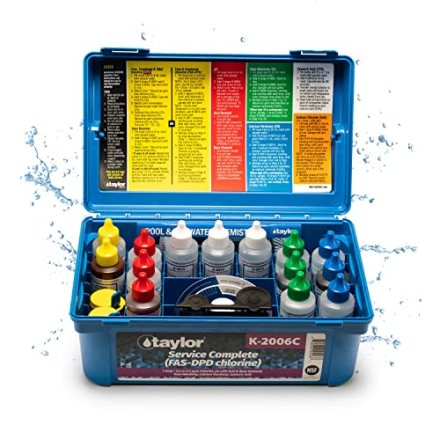
 Taylor K-2006C Complete FAS-DPD Pool & Spa Test Kit
The FAS-DPD kit pool pros trust — reads chlorine accurately even at shock/SLAM levels, plus pH, alkalinity, calcium hardness and CYA. View on Amazon →
Taylor K-2006C Complete FAS-DPD Pool & Spa Test Kit
The FAS-DPD kit pool pros trust — reads chlorine accurately even at shock/SLAM levels, plus pH, alkalinity, calcium hardness and CYA. View on Amazon →
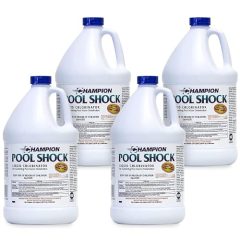 Liquid Chlorine / Sodium Hypochlorite (12.5%)
Everyday sanitizer — the B in BBB View on Amazon →
Liquid Chlorine / Sodium Hypochlorite (12.5%)
Everyday sanitizer — the B in BBB View on Amazon →
Still need help? Ask a Pool & Spa Expert AD
Get a personalized answer from PoolGuy810 — 30 years owning a pool and spa repair company. Describe your issue and get step-by-step help.
Related Pool Guides
Need More Help?
Try our free pool calculators and tools to help diagnose and fix your pool problems.
Browse Pool ToolsSLAM calculator, pH calculator, salt dosing & more